Your reference files, in one folder you own.
Kiln is a media library for your desktop. Drop files in, find them again in seconds, drag them back out. No account. Nothing leaves your computer.
Download KilnLinux, macOS and Windows. Free for 14 days, then $29 once.
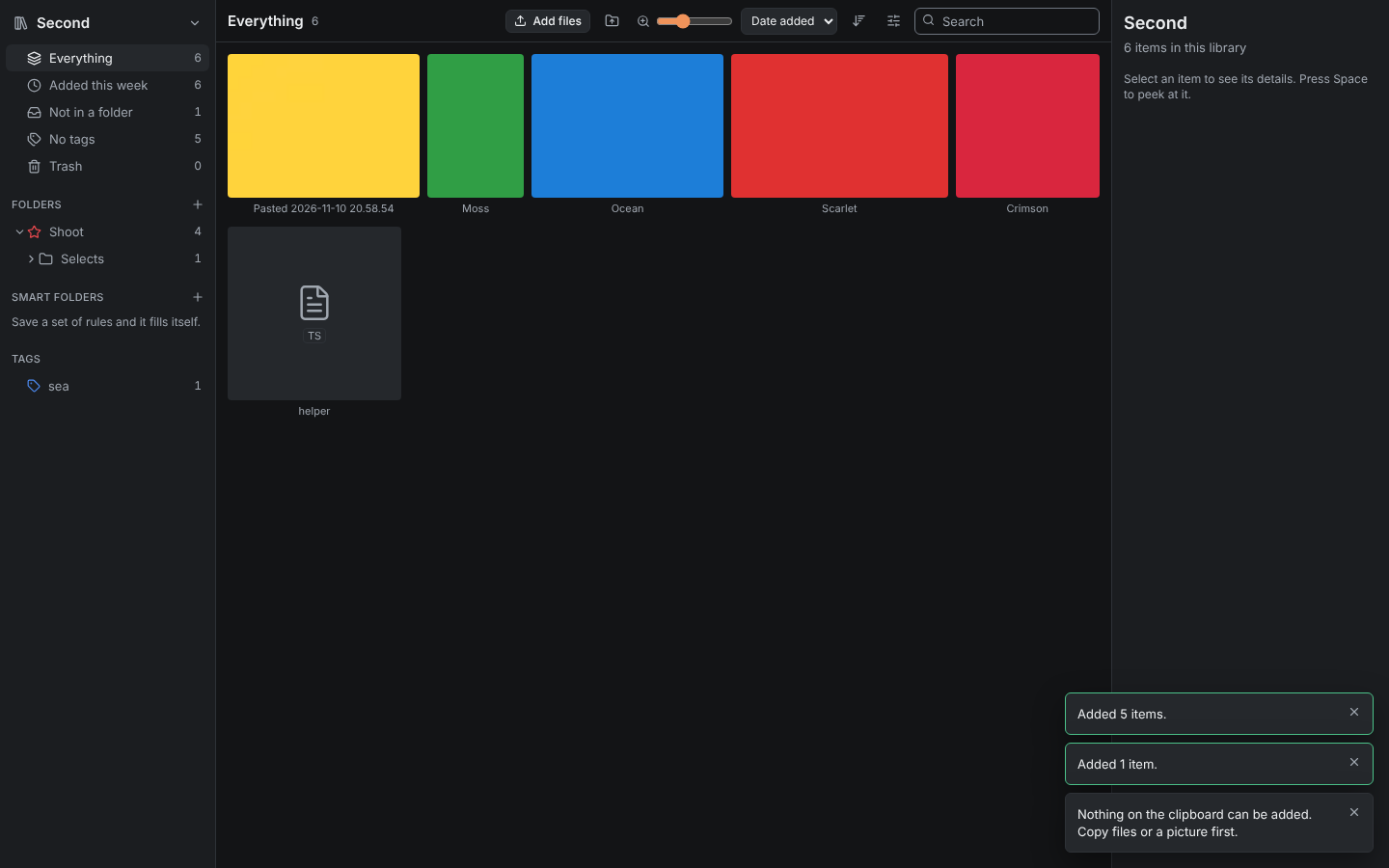
A collection should not depend on someone's server
Reference material ends up scattered across download folders, online boards and bookmarks. It is hard to search, and a service that holds it can change, fill with noise, or go away. Kiln keeps it on your disk, in one place you can search.
How it works
-
1
Drop
Drag files or whole folders into the window. Folder structure is kept, and exact copies are skipped.
-
2
Find
Search names and notes, or filter by tag, rating, type or main colour. Save a set of rules as a smart folder.
-
3
Use
Drag items straight into the app you are working in. They arrive under their real names.
What you get
-
One folder, yours
A library is a folder on your disk: the files, their tags and their thumbnails. Copy it to back it up.
-
No account, no cloud
Kiln never asks you to sign in and makes no network requests.
-
Built and tested on Linux
Linux is a first-class platform here, alongside macOS and Windows.
-
More than pictures
Images, video, audio, PDF, Markdown, text and code, each with a preview.
-
Organise your way
Folders, tags, ratings and colours. An item can sit in several folders at once.
-
Keyboard first
Arrows to move, Space to peek, F2 to rename. Light and dark themes.
Pay once
-
Try
FreeEverything for 14 days. No limits and no card.
-
Keep
$29Once. A licence for two of your computers, with every update in version 1. Refunds within 14 days.
After the trial you can still open, search and export everything. Adding new items needs a licence.
Questions
- Where are my files?
- In the library folder you chose. Kiln copies what you add into it and never touches the originals.
- Can I keep a library in Dropbox or iCloud?
- Not while it is open: sync tools can damage the database. Close Kiln and copy the folder to back it up.
- Does it phone home?
- No. There is no telemetry and no account.
- Can I import from another library app?
- Not directly. Export your files from the other app into folders and drop the folders into Kiln. The folder structure is kept.
- Which files does it preview?
- Common image formats, SVG, video and audio your system can play, PDF, Markdown, text and source code. Other files are stored and exported untouched.
Give your collection a home
Builds are not published yet. This page is a draft.